
Scheduling that fits real availability
Designed for the way therapy is really practiced
How PracticeRunner supports your clinical work and practice operations
PracticeRunner connects scheduling, client communication, documentation, clinician-controlled AI assistance, supervision, billing, payments, intake, and follow-up in one coordinated practice workflow.
Built for individual therapy, couples, families, therapy groups, professional consultation, workshop groups, associates, supervisors, and growing practices.
Coming from another platform? See how PracticeRunner compares to SimplePractice.
The clinical and operational both/and
Clinical work comes first. The practice still has to run.
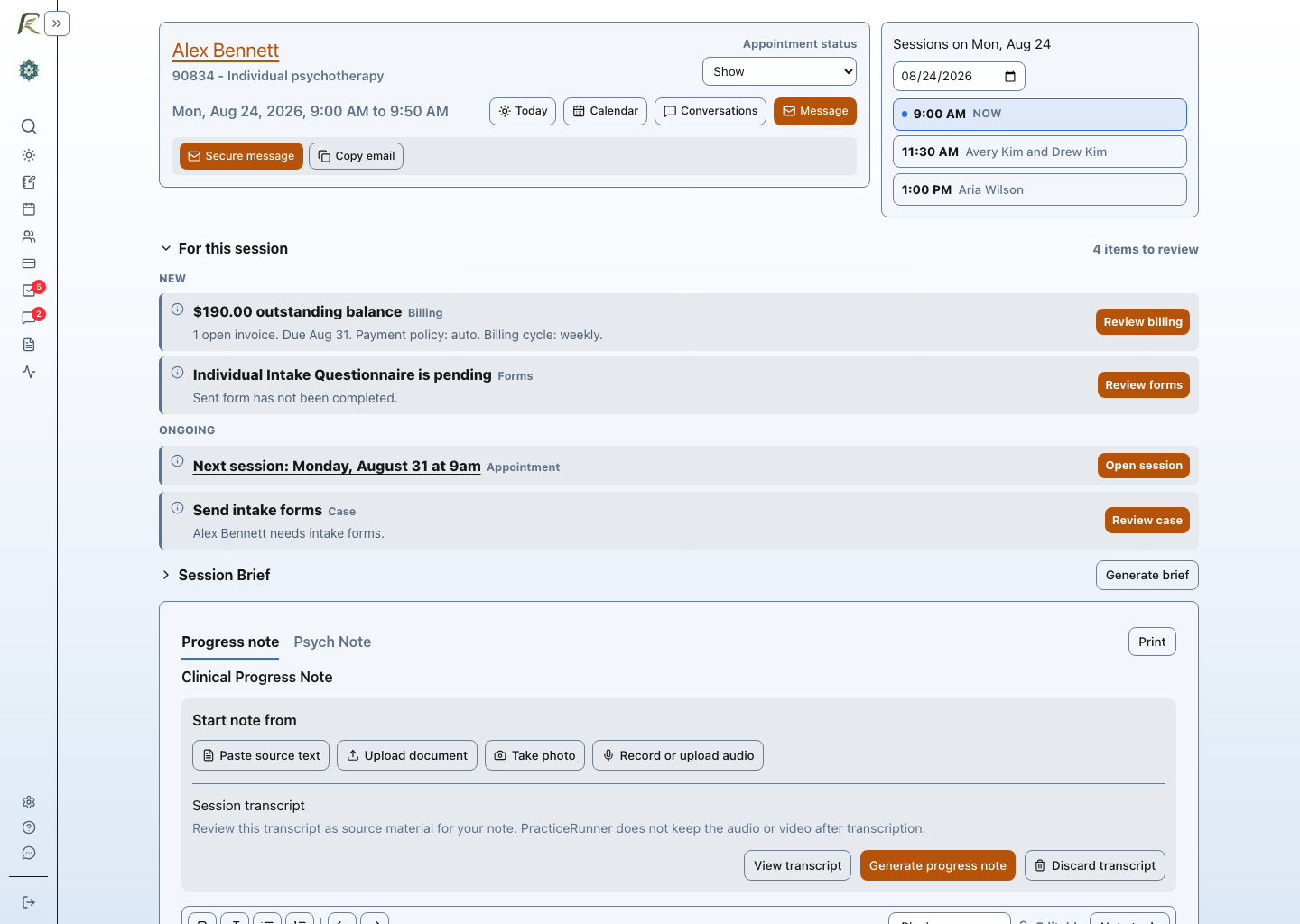
Many practice systems separate scheduling, client communication, documentation, supervision, and billing across different workflows. PracticeRunner keeps them connected so clinicians and practice teams spend less time reconstructing what needs to happen next.
Clearer client communication
Less administrative follow-up
Cases built around the actual work
Optional AI Assistant
Practical help before and after the session
AI Assistant is part of the connected PracticeRunner workflow, not a separate product. Writing and appointment-preparation tools are included with all plans. Recording and transcription are included during PracticeRunner's early stage, with no separate transcription charge today. PracticeRunner will explain any future allowance or charge before it applies. The practice chooses what to enable, and clinicians decide when to use each tool and review every draft.
Prepare with Session Brief
Generate a short appointment-preparation brief from recent saved notes. It stays separate from the clinical note.
Record or upload for transcription
Record appointment audio or upload audio or video when consent and practice settings allow, then review the resulting transcript.
Draft from the material you already have
Start from a transcript, pasted rough notes, a document, a scan, or a photo of a handwritten note instead of retyping it.
Revise without giving up control
Improve the wording or structure of a note you have started, apply reusable writing preferences, and review the result before saving or signing.
Client information is not used to train shared AI models or improve AI for other practices. Audio and video are deleted after transcription. Explore AI Assistant settings.
How It Works
Workflows that fit real practice
PracticeRunner helps you configure clinical and administrative workflows for your practice today. The same case model supports individuals, couples, families, therapy groups, professional consultation, and workshop groups, while changing the language and available tools to fit the service instead of treating every participant as an individual therapy client.
1
Set up the treatment workflow
Bring scheduling, documentation, communication, billing, and follow-up into one practical workflow.
Pay-per-session
Bill per appointment on a daily, weekly, or monthly schedule.
Pre-billed payments
Charge ahead of time to make income steadier and reduce missed payments.
Recurring billing
Use recurring billing where it fits your policy and client communication.
2
Choose how payments are collected
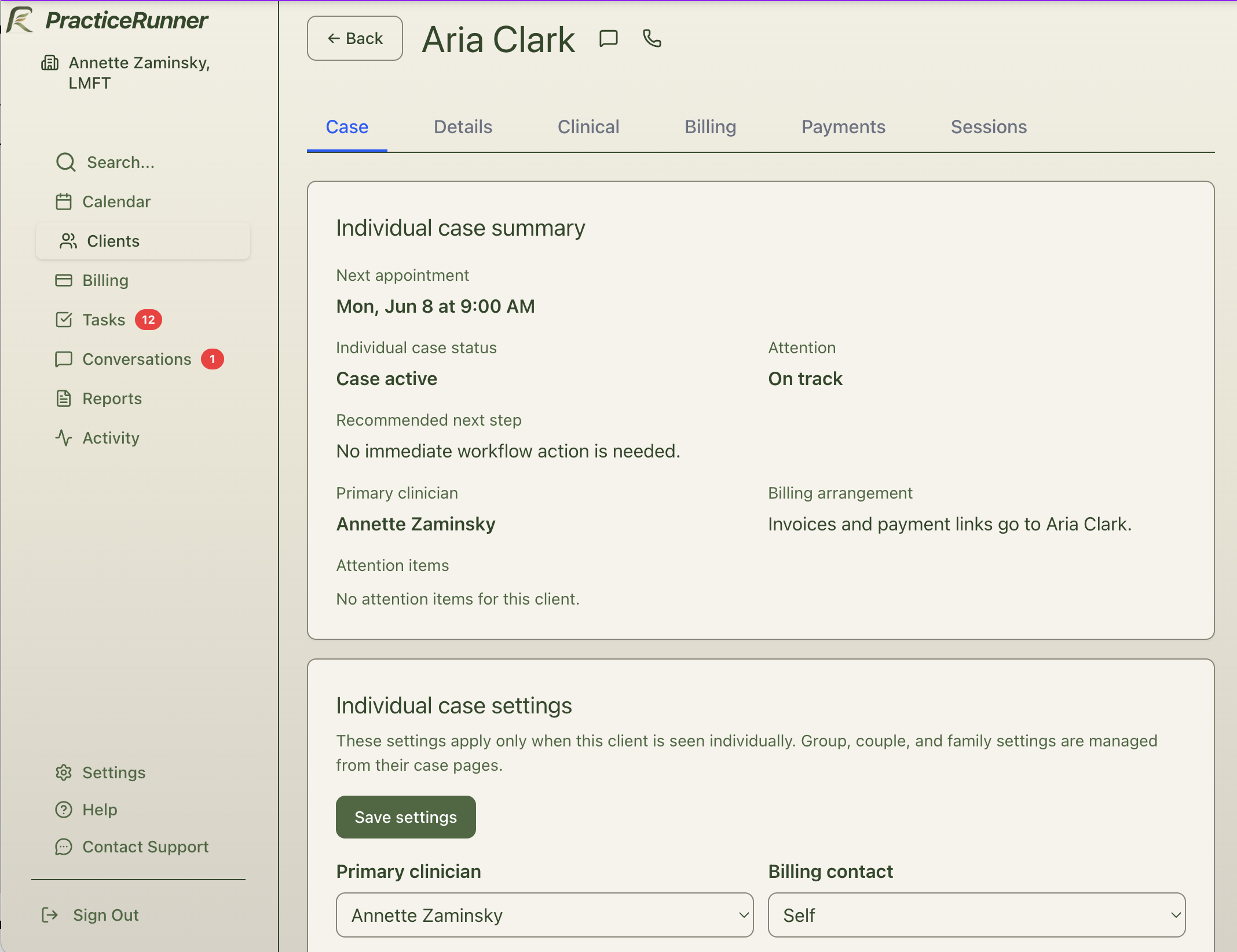
Decide how each case is billed and how payments are collected from its billing contact.
Auto-pay
Automatically collect saved bank transfer or card payments when charges are due.
Auto-invoice
Send invoices automatically while allowing clients to pay on their own.
Manual collection
Keep things hands-on where needed.
Let billing run automatically where you want to. Stay manual where you need to.
3
Adjust details where the relationship needs it
Different relationships may need different approaches. PracticeRunner helps you set practice and provider defaults, then adjust billing, payment, scheduling, and supervision details for a case or appointment when needed.
- Set payment-method defaults for the whole practice
- Let existing clients stay on current billing methods while new clients adopt bank transfers or cards
- Share part of the savings from lower-cost payments through optional per-session discounts
- Use bank-transfer-only policies in some situations when you want to encourage lower-cost payments
4
Grow without rebuilding the workflow
As your practice grows, you can add support roles, supervision, more complex treatment relationships, and clearer payment routines without starting over with a new set of tools and routines.
Reduce missed or delayed payments
Make monthly income easier to plan around
Keep billing choices clear for clients
Billing Flexibility
Flexible ways to manage billing
Choose the billing model that fits your practice. You can collect payments automatically, send invoices, or manage payments manually.
Pay-per-session
Bill for each appointment on a daily, weekly, or monthly schedule. Choose auto-pay, auto-invoicing, or manual collection based on how your practice works.
Pre-billed payments
Charge ahead of time on a daily, weekly, or monthly schedule to make income steadier and reduce missed payments. Introduce pre-billing gradually where it makes sense.
Recurring billing
Use recurring monthly billing when it fits your practice policy, while keeping client communication clear and transparent.
Designed to be clear to clients and consistent with practice policies.
Where it makes sense, a practice can share part of the savings from avoiding credit-card processing by offering a small per-session discount for bank transfers or recorded manual payments such as Zelle, check, or cash. Set a practice default, introduce the policy gradually, and assign a different payment profile to a case when needed.
Payment Costs
Lower-cost payments, explained clearly
Credit card payments are convenient, but they come with higher processing costs. Bank transfers offer a lower-cost alternative, and PracticeRunner is designed to help you use that option without overcomplicating billing.
Your practice can keep the savings or share part of them with clients through an optional per-session discount. The discount is part of your session pricing and is separate from the payment processor's fee.
Bank transfers are processed through ACH, the U.S. bank-to-bank payment network. They are not as fast as credit cards and usually take a few business days to settle, so practices should use them with that timing in mind.
Encourage bank transfers where it makes sense
Share part of the lower payment cost with clients when you choose
Avoid overpaying on larger bank transfers
Simple Example
A large bank transfer should not feel like a large credit card charge.
Credit cards
Convenient, but higher-cost.
Bank transfers
Lower-cost and better suited to recurring billing.
Fair practice economics
Keep more of what the practice earns
You get capable practice-management software without turning each useful capability into another add-on or pricing a lower-cost bank transfer like a credit card. The aim is substantial value and practice economics that make sense.
- AI writing and appointment-preparation tools included with all plans
- Bank transfers priced separately from credit cards
- Plan and clinician-seat costs visible before you commit
Transition
You do not have to change everything at once
Changing an established billing routine can bring up understandable ambivalence. The rollout can stay practical. PracticeRunner lets practices introduce new payment options and collection schedules gradually instead of resetting every client agreement at once.
Today
- Existing clients stay on familiar billing routines
- Manual billing remains available
- No immediate pricing change required
today to tomorrow
Tomorrow
- New clients can adopt bank transfer or card payments
- Optional payment-method discounts can be introduced selectively
- More payments can move to auto-pay over time
Improve billing gradually, without forcing a reset across your entire practice.
Practical Examples
What this looks like in practice
Scenario 1
A couple, a billing contact, and one connected workflow
A therapist can schedule and document the couple relationship while keeping participant details, portal access, and billing responsibility clear.
Scenario 2
Consultation services without therapy workflows
A provider can schedule, use Session Workspace, invoice, collect portal payments, communicate securely, and document individual or group consultation work without diagnoses, superbills, insurance claims, or artificial CPT codes.
Scenario 3
A family or therapy group that remains intact over time
The member roster, appointments, attendance, shared notes, participant details, communication, and billing remain connected to the same case instead of being rebuilt around each appointment.
Scenario 4
A workshop group without a psychotherapy chart
A therapist can run a skills group, training, coaching group, relationship workshop, or practice workshop with participants, registration materials, attendance, Session Workspace, invoices, portal payments, receipts, secure messages, and group notes without adding diagnosis or insurance workflows.
Scenario 5
Friday invoicing for session-based billing
A therapist bills per session, wants appointments tracked normally during the week, and wants invoices sent automatically every Friday so payment follow-up stays consistent without extra admin time.
Scenario 6
Bank transfer autopay for new clients only
A therapist keeps existing clients on their current process while setting new clients up on bank transfer autopay, making payments easier over time without forcing a sudden practice-wide change.
Scenario 7
Using bank transfer discounts or bank-transfer-only rules to guide payment choices
A practice shares part of the savings from avoiding credit-card processing by offering a small per-session discount for bank transfers or recorded manual payments such as Zelle or check. It can also choose to accept only bank transfers in some parts of the practice while still allowing exceptions where needed.
Scenario 8
Associate notes routed to the right supervisor
An associate signs a progress note, and PracticeRunner routes the review task to the supervising clinician. Group practices can use provider-level defaults, case/client-level supervision, and appointment-level overrides when coverage changes for a specific session.
Scenario 9
A session workspace for telehealth, source material, and notes
A clinician can open one appointment workspace to join telehealth, record audio or upload audio or video when consent and practice settings allow, review transcripts, run OCR text extraction on source material, and draft the note before signing.
For more detail about associate supervision, note review tasks, and how appointment-level overrides work, see Supervision and Associate Workflows.
Core Practice Tools
All of this lives in one practice system
PracticeRunner combines practical billing with the core tools clinicians already need, including prospective client self-scheduling, shared busy-time visibility across PracticeRunner organizations, Conversations, documentation, audio recording or audio/video upload with transcripts when enabled, supervision, intake, CMS-1500 claim form exports, calendar feeds, Google Calendar sync, and a portal where passkeys can make repeat sign-in easier for clients who choose them.
One search across your practice finds clients, cases, appointments, billing documents, settings, and help without requiring you to navigate through separate sections. See what Search can find.
For more detail about the appointment workspace and recording workflow, see Session Workspace and Record Audio.
Optional AI Assistant brings together Session Brief, note drafting and revision, and supported transcript workflows. It is disabled by default, and the practice chooses which features to enable. When enabled, processing runs under PracticeRunner's HIPAA and BAA safeguards. Client information is used only to provide the requested feature and is not used to train shared AI models or improve AI for other practices. Explore AI Assistant settings.
- Cases for couples, families, therapy groups, consultation, and workshop groups
- Scheduling with practice, provider, and case location defaults, plus calendar feeds, shared busy times, and Google Calendar sync
- Session Workspace for telehealth, source material, and notes
- Record audio or upload audio or video, transcripts, OCR text extraction, and clinical note drafting when enabled
- Optional AI Assistant for Session Brief and clinician-reviewed drafting, disabled by default
- Associate supervision and note review
- Client portal, passkeys, and Conversations
- Billing and invoicing
- Insurance support
Founding practices
Start with hands-on support
PracticeRunner is available for independent therapists, with guided onboarding and direct founder support during this early stage.
Use PracticeRunner in your real practice and share feedback that can help inform product priorities as the system continues to develop.