
PracticeRunner, sometimes searched as “Practice Runner,” is practice-management and EHR software designed specifically for therapists.
It brings the major clinical and administrative parts of running a therapy practice into one system. Therapists can manage scheduling, prepare for sessions, write and review clinical documentation, communicate securely with clients, send forms, and give clients a portal for appointments, paperwork, billing, and payments. PracticeRunner also supports telehealth workflows, invoices, card and bank-transfer payments, receipts, statements, superbills, CMS-1500 claim PDFs, and manual reconciliation of payer responses with related invoices.
The aim is not to make every practice work the same way. It is to keep related clinical and administrative tasks connected, while leaving room for the policies, relationships, and professional judgment that differ from one practice to another. You can see a broader view of these workflows on How PracticeRunner works.
Why PracticeRunner was created
I created PracticeRunner in San Francisco after encountering the same friction many therapists face while running a practice. Before becoming a therapist, I worked as a software engineer. Once I was responsible for my own calendar, notes, client communication, forms, billing, and follow-up, I could see how often practice software separated tasks that belong together.
I did not create PracticeRunner because therapists needed one more EHR. I created it partly because I was frustrated by a business model that can place more subscriptions, add-ons, and transaction costs on practices that already face substantial work and risk if they decide to leave. Useful tools are split into expensive add-ons, per-clinician charges compound quickly, and bank transfers can be priced like credit cards even though they cost less to process.
PracticeRunner is built on a different principle. More of what a practice earns should stay with the practice, and the difficulty of changing EHRs should not become a pricing strategy. PracticeRunner should earn a practice's continued business by providing value, charging fairly, and making it possible to take records elsewhere.
That principle led to a guided SimplePractice importer. I used the same process to help move my own clinical practice into PracticeRunner, and other therapists can now upload a SimplePractice export directly rather than rebuilding every supported record by hand. During PracticeRunner's current early stage, processing may wait for support to inspect and start the import. Migration still requires careful review, but the software should do as much of the mechanical work as it reasonably can.
PracticeRunner began as a practical response to those day-to-day problems and now serves other clinicians. My clinical work still informs the product, as do conversations with therapists whose practice structures and needs differ from mine. The goal is steady and concrete: reduce avoidable administration without replacing clinician contact or clinical judgment. The About PracticeRunner page shares more of that background.
Keep the current appointment centered
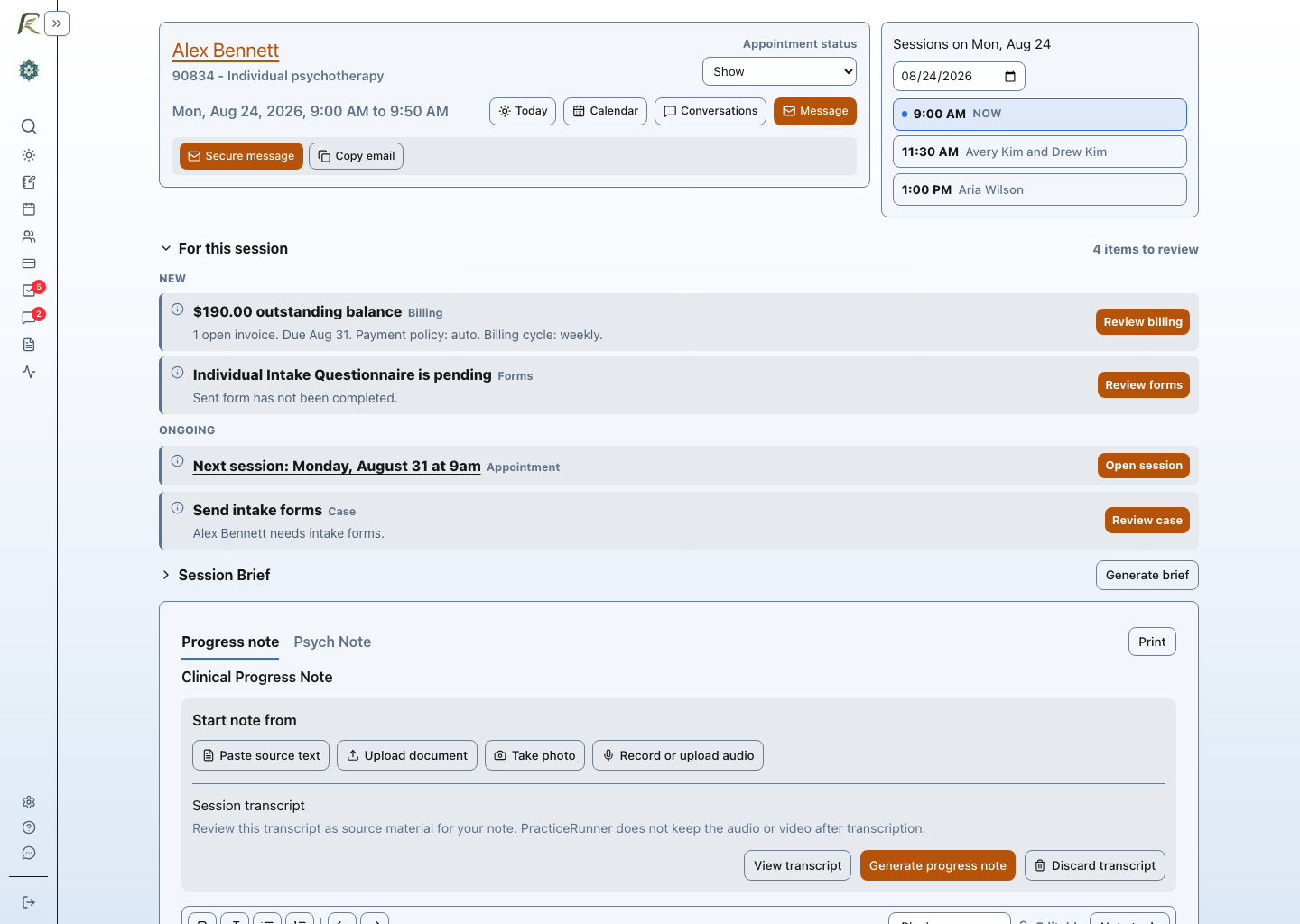
A therapist's day is organized around sessions, but many systems scatter the work for one appointment across a calendar, a chart, a note editor, uploaded files, and separate follow-up lists. PracticeRunner's Session Workspace is an appointment-specific environment that keeps those pieces close together.
From the workspace, a therapist can review appointment details and relevant case context, move among the day's sessions, join telehealth when a link is available, and work with appointment materials and source material. Depending on practice settings, it can also include an optional Session Brief, audio recording or media upload for transcription, transcript review, document text extraction, and clinician-reviewed note drafting. Documentation and follow-up visibility remain connected to the appointment. Billing and payments are available elsewhere in PracticeRunner, not performed from the Session Workspace.
This session-centered structure reduces the need to reconstruct what belongs to an appointment or move repeatedly among disconnected screens. For exact operating details and current browser limits, read Session Workspace and Record Audio.
Optional AI Assistant
PracticeRunner calls its collection of optional preparation and drafting features AI Assistant. It brings together Session Brief, drafting from source material, note revision, and supported transcript workflows. Document processing can also extract text from supported files and use OCR for scanned pages or photos, including a photo of a handwritten note taken with a phone or computer camera, so a clinician who still writes on paper can turn it into a typed draft instead of retyping it. Writing and appointment-preparation tools are included with all plans. Recording and transcription are included during PracticeRunner's early stage, with no separate transcription charge today. PracticeRunner will explain any future allowance or charge before it applies. Every tool is disabled by default and controlled at the practice level.
PracticeRunner's direction for AI starts with a simple distinction: AI should assist an individual practice, not gather sensitive clinical information to train generalized models. The therapist decides when to use an enabled tool and reviews any generated material. AI Assistant Settings explains each available control.
Client information is processed to provide the feature the therapist requests. It is not used to train shared AI models or improve AI for other practices. Recorded or uploaded audio and video are deleted after transcription, and temporary extraction uploads are deleted after successful extraction, with cleanup and retries for unfinished uploads. Ordinary record attachments remain retained. The therapist decides whether to retain or discard the resulting transcript or extracted text; see the source-material guidance. The therapist also decides when a tool is appropriate, what is recorded, what generated material to keep or change, and when documentation is ready to save or sign.
PracticeRunner may offer practice-specific personalization in the future so an optional tool can better reflect a practice's terminology, documentation style, or workflows. That functionality is not currently offered. If introduced, it would be clearly disclosed, isolated to the practice, and under the practice's control. AI assistance does not make clinical decisions or transfer responsibility for documentation away from the therapist. Read the detailed commitments in PracticeRunner's AI and client information guidance.
You work with relationships. Your software should keep them connected.
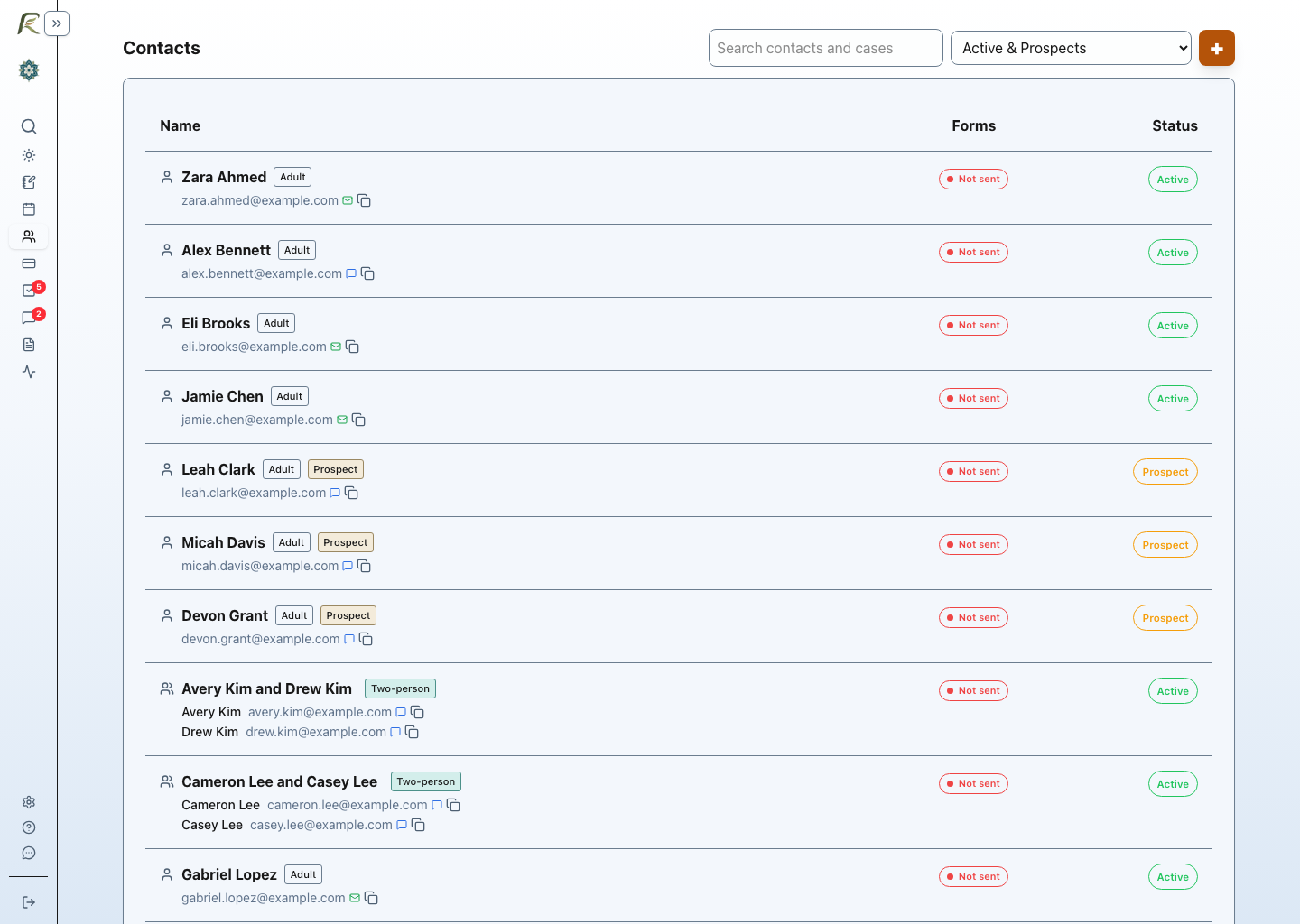
There is no such thing as a case without context. An individual therapy chart works well when the work belongs to one client. It fits less well when the organizing relationship is a family, an ongoing group, a professional consultation, or a workshop. PracticeRunner treats each of those as a case that remains intact across appointments instead of recreating the context around each participant or calendar event.
Family and therapy-group cases retain their participants, attendance, shared appointments, notes, portal access, secure communication, and billing history over time. Individual consultation and consultation groups get scheduling, Session Workspace, invoices, portal payments, receipts, secure messages, configured agreements, and consultation notes while leaving diagnoses, treatment plans, insurance claims, superbills, and artificial CPT codes out of the workflow.
Workshop and skills groups provide the same continuity for trainings, coaching groups, relationship workshops, therapy-business workshops, and other nonclinical group services. The case keeps the participant roster, registration materials, attendance, Session Workspace, invoices, portal payments, receipts, secure communication, and group notes together without presenting the participants as psychotherapy clients. Read why one-person charts break down for couples, families, and groups, or use Practice Management for Couples, Families, and Groups for the detailed product model.
Who PracticeRunner is for
PracticeRunner is designed for solo therapists and growing practices, with an especially strong fit for family and group therapists and for clinicians whose work includes paid consultation, supervision, workshops, trainings, classes, or coaching groups. These practices can offer the normal portal, payment, secure-communication, and Session Workspace experience without forcing nontherapy services into psychotherapy records or artificial billing codes.
The responsive web application works across phone, tablet, and desktop for routine practice work. It can be installed from a supported browser for quicker access from a home screen, Dock, or taskbar, although it remains a web application and requires an internet connection. Adaptive light and dark themes provide options for different environments and visual preferences. Installation instructions explain what is supported on common devices.
The small choices form a pattern
PracticeRunner is designed from within therapy practice and organized around the flow of a therapist's day. The Session Workspace reflects that approach by treating the appointment as the central unit of clinical and administrative work rather than only a block on a calendar. A session's video link can point to Zoom, Google Meet, Teams, or any other platform a practice already uses, set at the provider, case, or individual appointment level, rather than requiring everyone to route through one built-in video tool.
The same perspective extends beyond sessions. Scheduling, clinical documentation, secure communication, forms, portals, billing, and follow-up share a connected workflow, so practice operations stay close to clinical work. One search across your practice finds clients, cases, appointments, billing documents, settings, and help without requiring you to navigate through separate sections. Documents and forms can pull in a client's name, a provider's details, a practice's address, or that client's current service price directly from a variable picker, so paperwork stays accurate as details change instead of being found and edited by hand. AI Assistant remains optional and clinician-controlled, off by default. Staff can sign in with a passkey, a one-time email link, or enabled Google or Microsoft sign-in, and practice owners can require passkeys or physical security keys when stronger authentication is appropriate.
These choices are small by themselves, but together they reduce unnecessary decisions and repeated follow-up. Explore the current features and workflows, review PracticeRunner pricing, or read how PracticeRunner compares to SimplePractice in more detail.
Learn more about PracticeRunner
If you are looking for a more connected way to manage sessions and practice administration, you can explore the product in more detail or get in touch with questions about your practice.