
Still attached to your paper notepad? A lot of therapists, myself included, still write session notes by hand. Paper is fast, doesn't need a login, and works when a laptop or tablet would feel intrusive in the room. The tradeoff has always been what happens after the session: retyping the note, summarizing it from memory later, or leaving the paper as the only record. PracticeRunner's Session Workspace closes that gap. Photograph the page, and PracticeRunner turns it into a typed progress note draft for you to review.
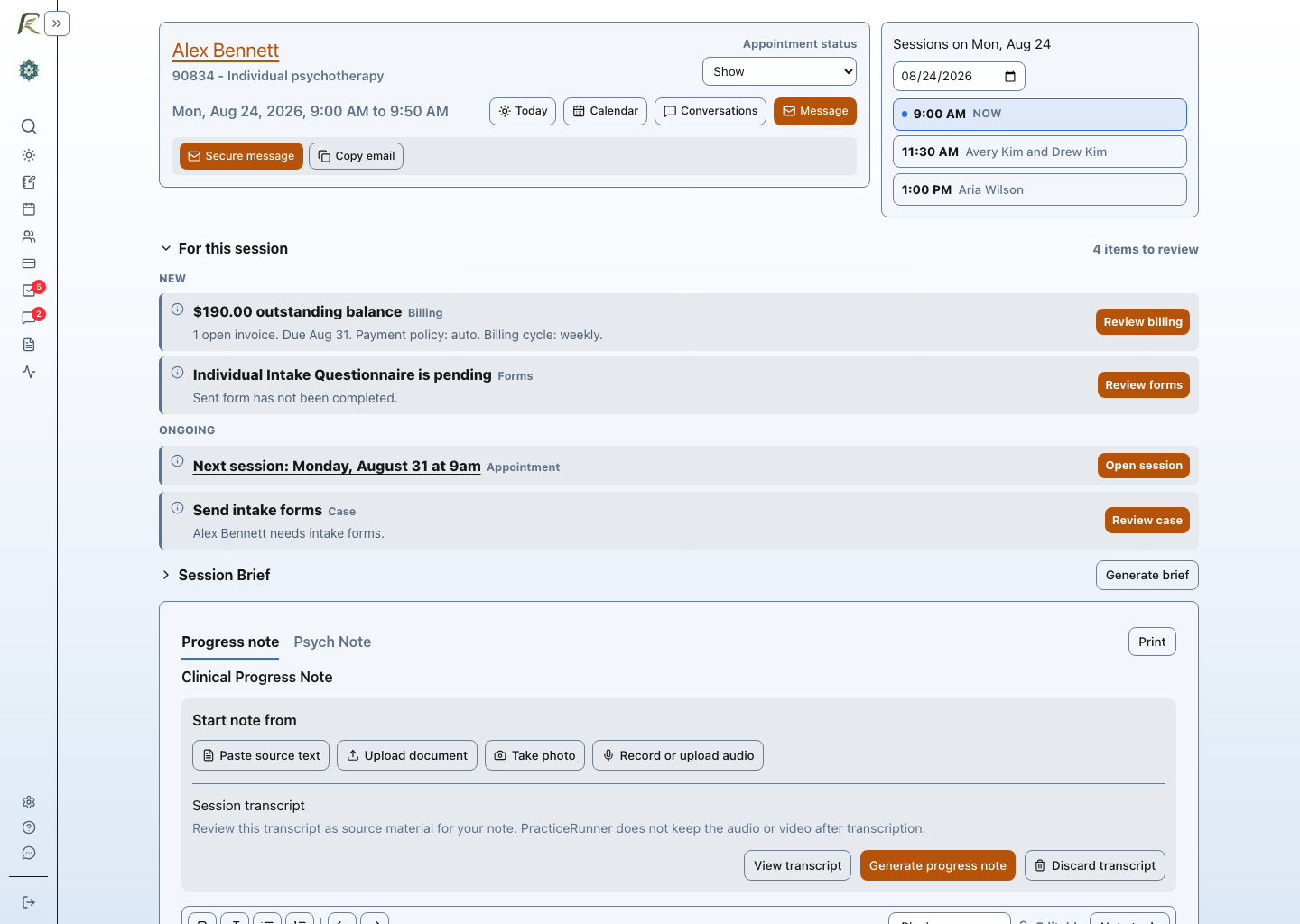
Photograph the page and prepare a draft
From the Session Workspace, choose Take photo. PracticeRunner opens a live camera view with a crop guide sized to a standard page, so it's easy to frame handwritten notes clearly before capturing. If a note runs longer than one page, capture each page in sequence and they combine into a single document. When a phone or computer has more than one camera, PracticeRunner lets you choose which one to use.
PracticeRunner then extracts the text from the photo and prepares a draft progress note for review. If your practice has saved AI writing preferences, up to five reusable instructions covering wording, tone, or structure, you can apply one to the draft, the same way you would for a note built from a transcript or a typed source. You review, edit, and save the note yourself. Nothing is saved or signed automatically.
Temporary photo uploads and saved attachments
A photo uploaded specifically for text extraction is temporary. PracticeRunner deletes it after successful extraction. Unfinished or failed uploads become eligible for cleanup after 24 hours, and deletion failures are retried. The extracted text can remain with the appointment as source material. A photo saved as an ordinary record attachment is retained, even if you later use it to prepare a draft.
This is the same approach PracticeRunner takes with audio and video recorded for transcription: the practice decides whether to use the tool, temporary media is removed after processing, and the resulting text or transcript remains available until the clinician discards it. Read the full AI and client information guidance for the complete set of commitments, including that client information is never used to train shared AI models.
Who this is for
This is aimed at the ordinary reality of a therapy practice rather than a single workflow. A therapist who takes brief notes on a legal pad during in-person sessions, a clinician doing home visits without a reliable place to type, a supervisor reviewing a supervisee's paper notes, or anyone catching up on a backlog of handwritten notes from a busy week can all use the same photo-to-draft path. It sits alongside PracticeRunner's other ways to start a note: pasted text, an uploaded document, or an audio or video recording, so a practice is never forced into one documentation habit.
A capability that remains uncommon
The published materials for SimplePractice, TherapyNotes, TheraNest (Ensora Mental Health), and Sessions Health do not describe a comparable way to photograph a handwritten note and get a draft progress note from it. SimplePractice's AI note tool, for example, publishes supported upload formats that cover audio and text-based documents but not photos or scanned images. If your current platform offers this and we have overlooked its documentation, we would like to know. Read the fuller SimplePractice comparison for more on how PracticeRunner's documentation tools compare.
Try it
This feature is part of PracticeRunner's optional AI Assistant tools, included with all plans, off by default, and controlled at the practice level. An owner or authorized admin can enable Draft from attachments under Settings → General. For the full walkthrough, including the other ways to start a note, read Notes and Source Material.