
“Thursday at 3 still works.” It is a small reply. Getting it back to you should be a small task, too.
A client sees your email notification between other things they need to do. If replying means finding a sign-in page, opening the portal, and locating the conversation again, a quick confirmation can become something to come back to later.
PracticeRunner gives clients a direct route to a secure conversation, supports replies to secure-message notifications from their email inbox, and puts appointment logistics in reminder emails. The portal remains available for the tasks that need a fuller view.
Start with how your practice communicates
You set the expectations for communication with your clients: where to send a message, what belongs there, and when to expect a response. Your software should help you put those choices into practice.
PracticeRunner lets you choose secure messaging or regular email as the practice default for supported client communication. An individual client's preference can follow that default, use secure messages, or use email only. Choosing email delivery sends the message content in the email itself, rather than only a notice that a message is waiting.
Message delivery and portal access are separate choices. A client can receive ordinary emails and still have portal access for appointments, forms, and billing. You decide which channel is appropriate for the exchange.
Go straight to the conversation
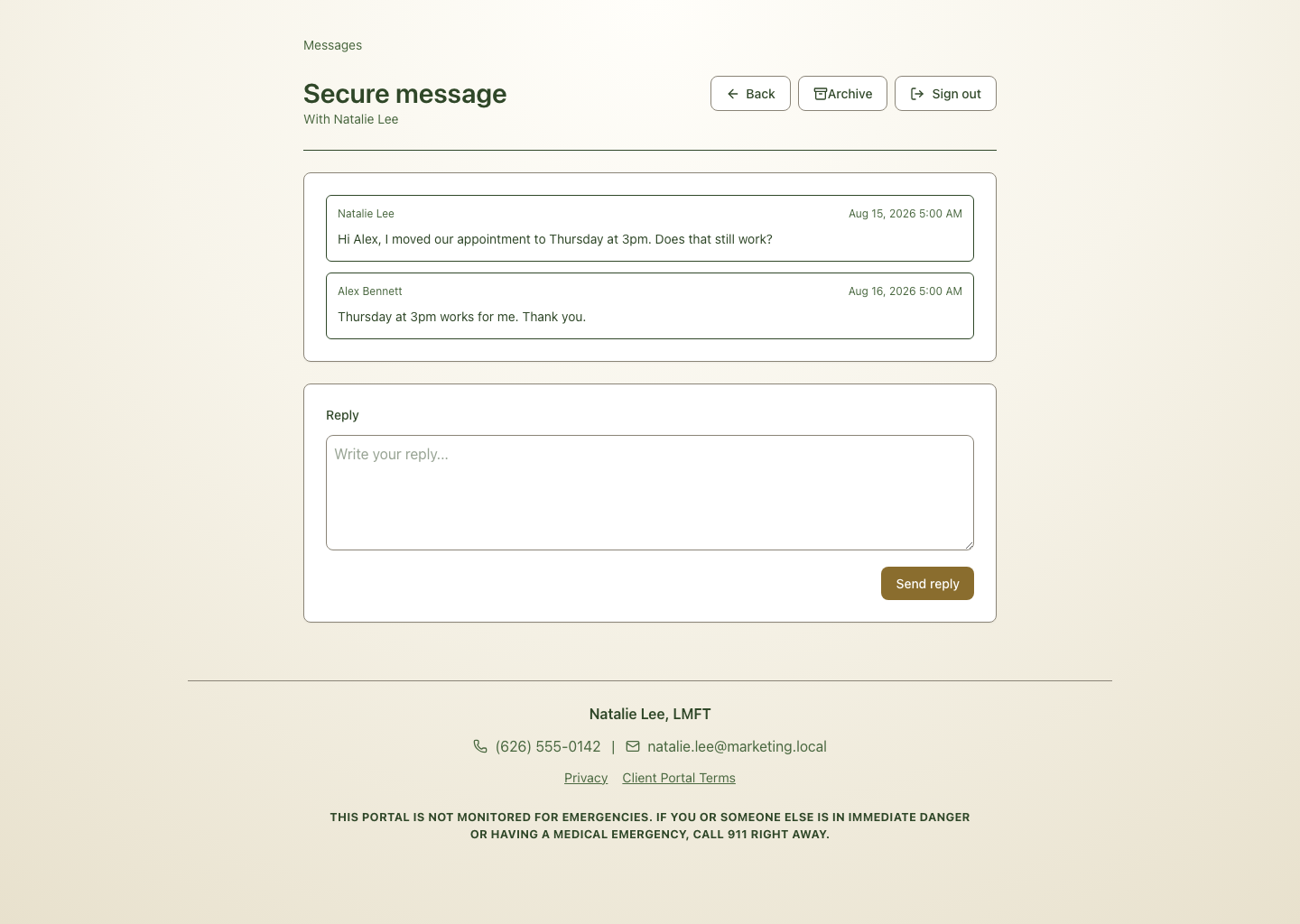
When you send a secure message, the client receives an email notification with a link to view it. The notification does not include the message body. A valid message link opens the relevant conversation without first asking the client to complete a separate full-portal sign-in.
The client can read and reply there. This is protected access to that conversation, not unrestricted access to everything in the portal. If the link has expired, the client may need a fresh link or to sign in.
A reply can start in the client's inbox
A message asks the client to respond, but the notification may come from an inbox that does not accept replies. The client then has to take another route to answer. In PracticeRunner, replying by email to a secure-message notification sends the response back to the same conversation.
For a short response such as “Thursday still works,” the client can reply from the inbox they already have open. You can read the response in PracticeRunner alongside the earlier exchange, without copying it over from a separate inbox.
A reply sent this way still travels by ordinary email. Clients who want to respond within the secure message view can use the link instead. Email replies should come from the address that received the notification; email attachments are not added to the conversation.
Keep appointment logistics within reach
Appointment reminders have a different job: help someone get to the appointment. PracticeRunner sends reminder content directly by email, even when secure messaging is the practice's preference, and keeps a copy in Conversations.
Depending on your reminder settings and templates, the email can include the appointment date and time, provider or practice details, contact information, an office address, or a video link. A client should not need to enter the portal just to find the configured link for today's video appointment.
Reminder emails can also include a calendar attachment so the client can add the appointment to their calendar. The attachment uses selected appointment details rather than copying the internal appointment description.
The standard reminder and calendar attachment leave out clinical notes, saved arrival instructions, and gate or door access codes. If you customize a reminder template, review the wording for what you want clients to receive by ordinary email.
This attachment does not subscribe the client to an ongoing calendar feed. PracticeRunner also supports calendar subscriptions as a separate option; the calendar guide explains that distinction.
Keep the video link you already use
A therapist who uses one video meeting link throughout the week can save it at the provider level. A case can have its own link, and a particular appointment can override it. For video appointments, PracticeRunner uses the appointment's link first, then the case's, then the provider's. Zoom and other video meeting URLs can fit the same approach.
That means you can keep your existing video meeting service and include its link in appointment reminders. The client gets the configured destination for that appointment, close to the date and time they need it.
The full portal is there when it helps
When clients need a broader view of appointments, messages, forms, or billing, they can use the client portal, with access determined by the practice. Full portal sign-in supports an emailed sign-in link or a passkey the client has already added.
A portal is useful when a client needs to review several things. A direct message link is useful when they need to read one conversation. A reminder email is useful when they need to get to their appointment. Giving each task a clear route means fewer steps for clients and less follow-up for you.