
Setting Up Stripe for Cards, Portal Wallets, and Bank Transfers
How to connect Stripe, enable card and bank-transfer payments, and understand Apple Pay and Google Pay express options in the client portal.
PracticeRunner uses Stripe to collect online card payments and bank-account payments. In PracticeRunner, bank-account payments are called bank transfers. In Stripe, the payment method PracticeRunner uses is named ACH Direct Debit.
Stripe also has a separate product named Bank Transfers. PracticeRunner does not use that product. When you review payment methods in Stripe, choose ACH Direct Debit, not Bank Transfers.
Connect Stripe
- In PracticeRunner, open Settings → Practice → Billing.
- Open Payment Methods and choose Connect Stripe.
- Complete the account setup requested by Stripe. Stripe may ask for information about the practice, its owner, the bank account that will receive payouts, and the services the practice provides.
- When Stripe returns you to PracticeRunner, review the card and bank-payment status shown under Online Payments.
PracticeRunner requests the Stripe capability needed for U.S. bank-account payments and asks Stripe to turn on ACH Direct Debit automatically. In most cases, the practice does not need to find or enable that payment method manually.
Stripe may take additional time to review a new account or activate bank payments. Choose Refresh status in PracticeRunner after providing any requested details. A pending review does not necessarily mean the setup failed.
Turn on the payment methods clients can use
After Stripe marks the account ready:
- Turn on Accept credit and debit cards if clients should be able to pay by card. This also makes Apple Pay and Google Pay eligible to appear as portal express options on supported client devices and browsers.
- Turn on Accept bank transfer (ACH Direct Debit) if clients should be able to pay from a U.S. bank account.
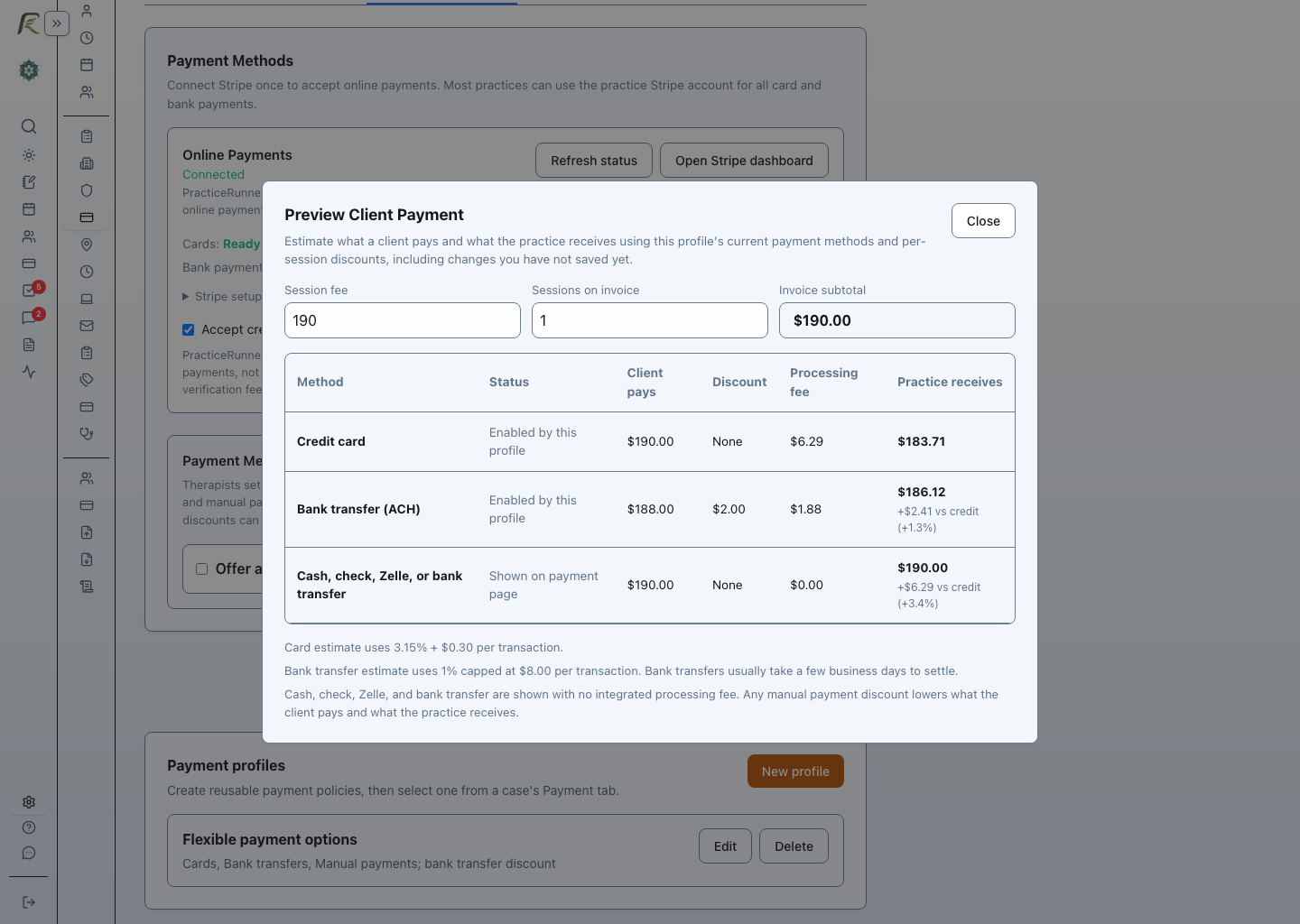
- Save any optional per-session discount for bank transfers or recorded manual payments. A practice may use this setting to share part of the savings from avoiding credit-card processing with clients. When a case needs a different arrangement, create a reusable payment profile in Billing settings and assign it from the case’s Payment tab.
Bank transfers usually take a few business days to settle. A submitted payment can remain pending until Stripe receives the final result from the client’s bank.
Apple Pay and Google Pay portal options
There is no separate PracticeRunner switch for Apple Pay or Google Pay. They use the card-payment setting and appear only when Stripe recognizes an eligible wallet in the client’s portal browser.
- Apple Pay requires a compatible Apple device and browser with Apple Pay configured. PracticeRunner registers the client portal domain with connected Stripe accounts as part of payment setup.
- Google Pay requires a compatible device and browser with Google Pay configured.
- Stripe may show one option, both options, or neither option for a particular client.
- If an express option is unavailable, the standard card or bank-transfer form remains available according to the practice’s payment settings.
- Apple Pay and Google Pay transactions are treated as card payments for payment-method rules and pricing.
These express options are intentionally limited to client-facing portal payment and saved-payment-method screens. Staff-entered payment forms do not show a client’s wallet options because wallet authentication belongs on the client’s own device.
If Apple Pay does not appear on an otherwise eligible device after the connected account is ready, choose Refresh status in PracticeRunner. Contact PracticeRunner support if the portal domain still needs attention.
If ACH Direct Debit could not be enabled automatically
If PracticeRunner reports that ACH Direct Debit still needs attention:
- Choose Open Stripe dashboard from PracticeRunner.
- In Stripe, open Settings → Payment methods.
- Find the payment-method configuration used by PracticeRunner.
- Turn on ACH Direct Debit.
- Return to Settings → Practice → Billing in PracticeRunner and choose Refresh status.
Do not turn on Stripe’s separate Bank Transfers option for this purpose. That option uses customer balances and bank-transfer instructions, which are not part of PracticeRunner’s payment flow.
If ACH Direct Debit is unavailable or remains pending, finish any account requirements shown by Stripe and allow time for Stripe’s review. PracticeRunner cannot make bank payments available until Stripe activates the connected account’s bank-payment capability.
Bank-account verification
Stripe may ask a client to connect a bank account through its secure bank-linking flow or verify the account another way. Connecting a bank account may include a one-time verification fee, typically around $1.50. This is separate from the processing fee for an actual payment.
Once bank payments are ready, clients can pay invoices by bank account, save a bank account for later use, and authorize automatic charges when the practice uses AutoPay.