
Representatives, Billing Contacts, and Approved Helpers
How to handle situations where someone other than the client helps with billing, scheduling, forms, or portal access.
Many practices work with people who are involved in a client’s care or administration without being the client receiving services.
Examples include:
- a parent or guardian signing forms for a child
- an authorized representative signing forms for a dependent adult
- one partner handling payment for a couple
- a parent or other billing contact paying for family therapy
- a sponsoring organization paying for a consultation group
- a personal assistant, care coordinator, or other approved helper managing appointments for a client
PracticeRunner handles these situations through relationships, billing contacts, and specific access decisions. Connected does not mean interchangeable. The goal is to let the right person handle the right task without giving broader access than they need.
Separate the role from the client
The person receiving care is not always the person who signs forms, pays invoices, schedules appointments, or receives administrative messages.
When someone else helps, decide what role they have:
- Representative: A parent, guardian, or authorized representative who may complete or sign forms for a child or dependent adult.
- Billing contact: A person or organization responsible for invoices, payment methods, statements, or payment follow-up.
- Scheduling helper: A person approved to request appointments, reschedule, or cancel on behalf of the client.
- Message recipient: A person who may receive selected communication from the practice.
These roles can overlap, but they do not have to. A billing contact does not automatically need forms access. A scheduling helper does not automatically need billing or records access. A representative who signs intake documents does not automatically need access to every portal area.
Contacts inside or outside the case
The helper may already be part of the case, or they may be a separate contact.
For example:
- In a family case, a parent may be a participant and also the billing contact.
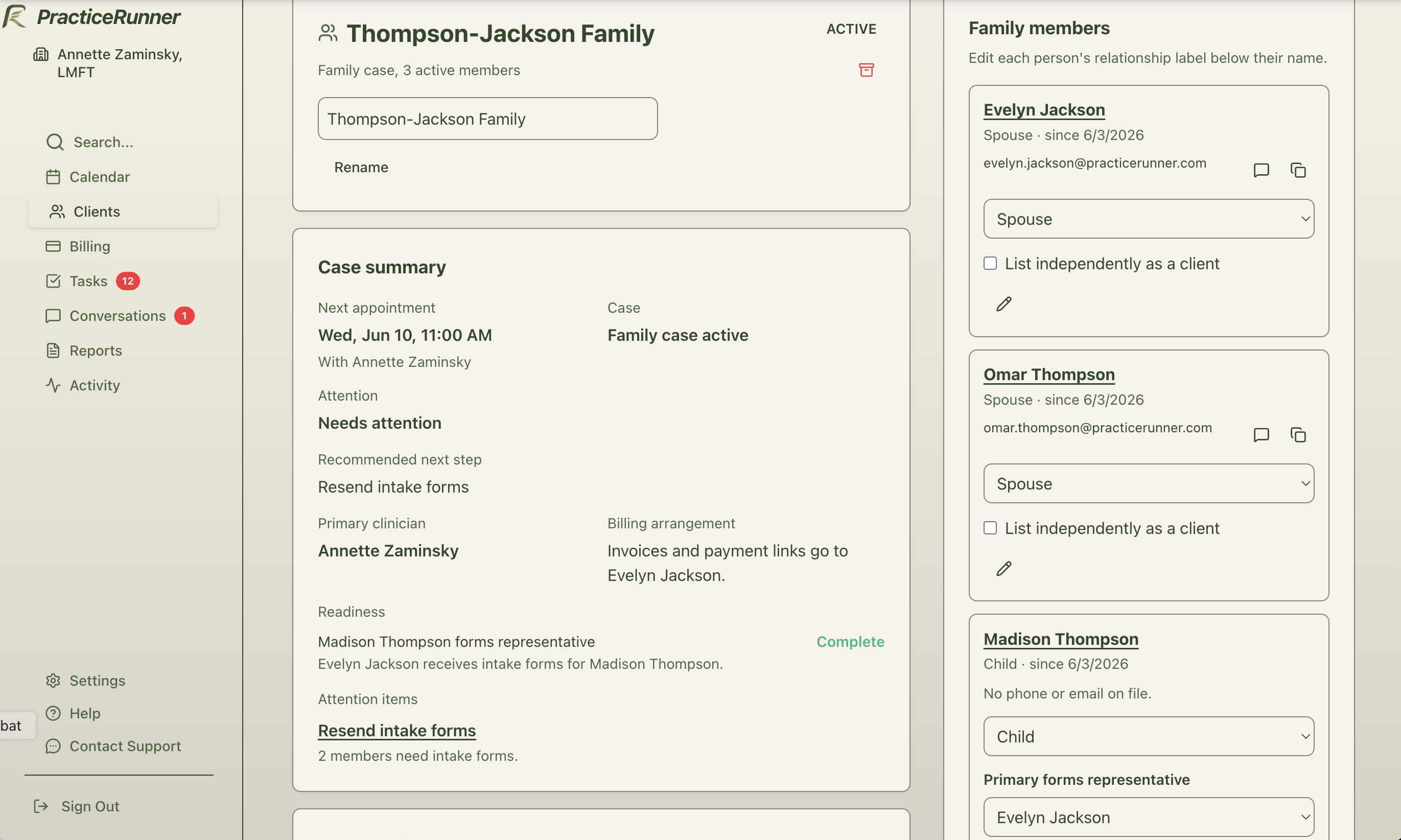
- In a child case, a parent may be linked as the forms representative and billing contact.
- In a couple case, one partner may manage payment for the shared case.
- In an individual case, a personal assistant or care coordinator may be outside the clinical relationship but approved to help with scheduling.
- In a consultation group, a sponsoring organization or administrative contact may handle billing without being a consultation participant.
Use the client’s relationship section to keep these connections visible to staff.
Forms and signatures
For children and dependent adults, the practice can send intake, forms, and documents to an authorized representative when that fits the practice’s consent and access policy.
The representative can complete questionnaires, acknowledge documents, or sign where a representative signature is appropriate.
Use this for:
- intake documents
- consent or policy acknowledgments
- consultation agreements
- releases of information
- other client-shareable documents or forms
Verify the relationship before giving someone forms access. If the relationship is not verified, keep the request staff-reviewed until the practice confirms what access is appropriate.
Billing contacts
A billing contact can handle invoices, payment methods, statements, and payment follow-up for a client or case.
This is useful when:
- a parent pays for a child’s treatment
- one partner handles payment for a couple
- one family member handles payment for a family case
- each participant in a group is billed separately
- a sponsoring organization pays for a consultation group
Billing access should stay tied to the billing responsibility. A billing contact may need invoice and payment access, but may not need clinical forms, messages, or scheduling access unless the practice grants those separately.
Scheduling helpers
Some clients rely on another person to help with appointments. This might be a parent, guardian, personal assistant, care coordinator, or other approved helper.
When third-party scheduling is enabled, the public scheduler can collect information from someone who is scheduling for:
- a child or dependent adult they represent
- someone they are helping schedule
PracticeRunner records this as a relationship claim until staff verify it. After verification, the practice can decide whether the helper should be allowed to request appointments, reschedule, cancel, or receive selected appointment communication.
Portal access
Portal access should match the role the person actually has.
Common patterns include:
- a representative receives intake and forms for a child
- a billing contact can pay invoices or manage a saved payment method
- a scheduling helper can request or change appointments
- a client keeps direct access to messages and forms while another person handles billing
Keep access narrow when possible. If a person only needs to manage appointments, do not also give forms, billing, or message access unless there is a clear reason.
How billing and appointment access stay separate
Billing responsibility does not automatically provide access to appointments. This distinction is especially important when a parent, guardian, partner, or other person pays for services but is not attending every session.
| Person’s role | Billing access | Appointment access and communication |
|---|---|---|
| Client scheduled to attend | Available only when the client is responsible for billing or eligible case-member billing access is enabled | Can see their scheduled appointment, receive its reminders, and use their calendar feed when those features are enabled |
| Payer who is not scheduled to attend | Can review and pay the case charges covered by their billing responsibility | Does not receive appointment access, calendar entries, reminders, or messages solely because they are the payer |
| Verified scheduling helper | No billing access unless they are also the payer | Can view or manage appointments only when the practice grants the corresponding permission |
| Forms representative | No billing access unless they are also the payer | Can receive the forms covered by their role, but does not automatically receive appointment access |
| Case member marked Not scheduled for an appointment | Billing follows the case’s billing arrangement, independently of that appointment status | Is excluded from that appointment’s portal display, calendar feed, reminder recipients, and default message recipients |
A payer may still see an invoice date, service date, amount, and payment status when those details are needed to understand and pay the charge. This does not give the payer access to upcoming appointment details, the client’s calendar feed, secure conversations, forms, or clinical information.
If a payer also needs to help with appointments, verify the relationship and grant appointment-viewing or scheduling permission separately. For a child or dependent adult, confirm the person’s legal authority and the practice’s confidentiality requirements before expanding access. Applicable law and the clinician’s professional judgment may require narrower access for particular services.
Privacy and legal context
These access defaults help a practice separate administrative responsibilities, but they do not determine who has a legal right to protected health information.
The HIPAA Privacy Rule permits a provider to communicate with someone other than the client when reasonably necessary to obtain payment. HHS also explains that payment-related disclosures should be limited to the minimum information reasonably necessary and must honor applicable confidential-communication requests and agreed restrictions. See HHS guidance on communicating with another person about payment and HHS guidance on the minimum necessary standard.
A parent or guardian is often a minor’s personal representative when that person has legal authority to make health care decisions for the child. There are important exceptions, including some care to which the minor may consent under state law, authority granted to another person or a court, and care provided within an agreed confidential relationship. State law can permit, require, or prohibit parental access in particular circumstances. See HHS guidance on personal representatives and minors.
PracticeRunner therefore keeps payer, forms, appointment-viewing, scheduling, and communication roles separate. The practice remains responsible for verifying authority, applying state law and professional requirements, and deciding whether a specific person should receive broader or narrower access. This article provides product guidance, not legal advice.
Appointment-based defaults for couples and families
For appointments involving a couple or family, PracticeRunner uses the appointment’s participant list rather than every active member of the case.
- Members scheduled to participate are included by default in appointment reminders, calendar feeds, and clinician message-recipient choices.
- Members marked Not scheduled are excluded from those appointment-based defaults.
- Clinicians can review attendance from the appointment or Session Workspace without changing the case’s overall membership.
- Billing continues to follow the payer and billing arrangement for the case. Changing who is scheduled does not transfer billing responsibility.
Staff review and verification
When someone claims they are helping or representing the client, staff should verify the relationship before granting access.
Review:
- who the person is
- how they are connected to the client
- whether the client or legal representative has authorized the access
- which workflow they need access to, such as forms, billing, scheduling, portal, or messages
- whether the access should be temporary or ongoing
If the relationship is unclear, keep the request limited and handle follow-up manually.
Children and portal sign-in
A person marked as a child cannot sign in directly to the portal or be selected as a billing contact. Use the appropriate adult contact and verify their relationship and permissions. For a client who needs a forms representative, select the primary forms representative rather than using the child’s email as the adult’s login.
Forms, scheduling, billing, and messaging access are evaluated separately. Being a parent, guardian, or case member does not automatically grant access to every portal page or conversation.